
PlayinMatch App Download — Quick Official Setup, Then Straight to Exch and In-Play
Tap the Download key, save the official PlayinMatch app file, allow the install once, then open it and sign in with your mobile number and password or a 6-digit SMS code. Android phones get the installable file. On an iPhone you pin the PlayinMatch99 web app to the home screen instead.
Already installed and stuck on the sign-in screen? Our PlayinMatch com mobile login page goes through the password and OTP fields one by one.
PlayinMatch App Download: Official Android File in One Tap
Start with the key below. It opens the PlayinMatch99 desk, and the current Android file comes from there. That matters more than it sounds, because the official PlayinMatch FAQ is blunt about updates: install the newest file, not whichever old copy someone forwarded you last season.
Why an app at all, when the PlayinMatch site already runs in Chrome? Mostly because of how fast you get in: an icon on your home screen that opens on the lobby, and keeps the bottom bar under your thumb while a match is live. Balance updates in real time either way.
One account. Tap the icon or type an address, it is the same PlayinMatch99 ID and the same money.
Keep three things handy before you tap. Your registered mobile, since the 6-digit OTP goes there. Your user ID or password if you already play on PlayinMatch. And, for later, a bank account in your own name, because that is the only place a PlayinMatch withdrawal can go and it saves a round of KYC questions if the names already match.
4
steps from file to signed-in lobby on Android
5
tabs on the PlayinMatch bottom bar
6
digits in the SMS code for OTP login
Install the PlayinMatch App in 4 Quick, Verified Steps
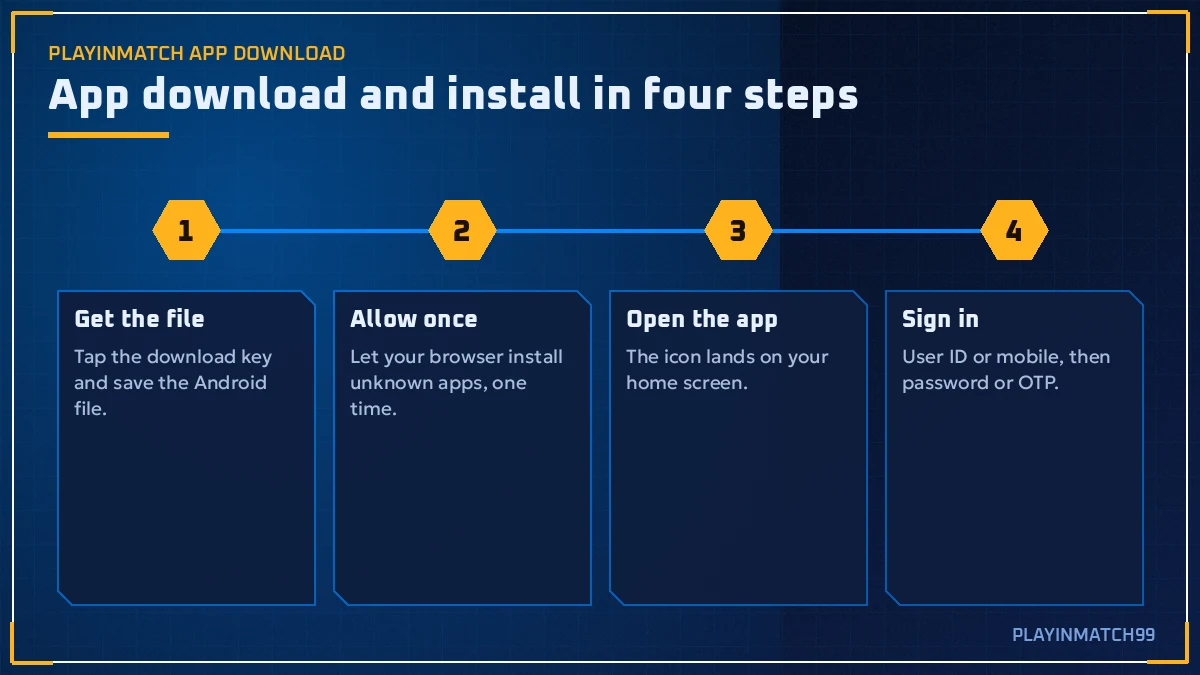
Four steps. Only the second one ever confuses anyone, and once you know where the switch hides it takes about as long as reading this sentence, so here is the full run from tap to lobby on a normal Android phone.
- Get the PlayinMatch file
Tap Download PlayinMatch App on this page. From there the PlayinMatch99 desk hands over the current Android file, and your browser saves it, usually into Downloads, with a small notification when it is done. Wait for that notification. Half-saved files are the number one reason for the parse error in the table further down.
- Allow the install
Open the file. Android will probably stop you with a prompt about installing apps from an unknown source. Tap Settings, switch on Allow from this source for the browser (or file manager) you used, then press back. This is a once-per-source thing, so your next PlayinMatch update skips it.
- Open the PlayinMatch app
Tap Install, give it a few seconds, then Open. Look for the new icon on your home screen: it carries the PLAYIN MATCH wordmark with the roulette-wheel emblem, the one with cards, chips, dice and a crown around it. You can flip the unknown-source switch back off now if you like; the installed app does not need it.
- Sign in or register
Here the file stops mattering and your account takes over. Three doors on this screen: the ID-and-password pair you may already use in Chrome, the Login with OTP link that texts a 6-digit code, and Register for anyone new, which asks for a mobile, then that code, then a fresh password. Google or Facebook works as a fourth door if you linked one. Whichever you pick, Home loads first.
Correction on step three, where I wrote "a few seconds". On an older handset that is nearly full, the install bar can crawl for a good while longer. Let it finish. Tapping away half-way leaves a PlayinMatch icon that refuses to open, and then you are back at step one anyway.
Forgot the password halfway through step four? Reset is short: phone number or username, an OTP by SMS, then the new password typed twice. Our PlayinMatch APK file notes cover the file side in more detail if you want to know what you are installing before you tap.
PlayinMatch App on Android vs iPhone: The Real, Safe Install Route
Two kinds of phone, two routes, one PlayinMatch account. Simple split. Short section. If you own an Android phone, the downloadable PlayinMatch app is the route; if you own an iPhone, the home-screen web app is, and neither route asks you to open a second account or move a single rupee of balance.
PlayinMatch Android App: Official Installable File
Android is where the downloadable PlayinMatch app lives. You install it from outside the Play Store, which is the whole reason step two exists. After that it behaves like any other app on the phone: its own icon, its own window, and the lobby one tap away.
Updates come the same way the first file did, with a newer PlayinMatch file from the desk going on top of the old one while your account, balance and open bets stay exactly where they were on the server side.
PlayinMatch on iPhone: Quick Home-Screen Web App
An iPhone will not install an outside file, so the iPhone route is the PlayinMatch99 web app. Open a working PlayinMatch address in Safari, sign in, tap Share, then Add to Home Screen. Name the icon whatever you want; PlayinMatch99 is the obvious pick.
It opens the same lobby with the same bottom bar. And because it loads from the address every time, it is always the current version, with no update file to chase.
Which is better? The gap is smaller than people expect, at least in daily use. Both show scores and odds that refresh on their own, with no manual reload. Both carry the Exchange-InPlay and Sportsbook-InPlay tabs, and both reach the same cashier and the same balance. Mostly, the Android PlayinMatch app saves you from typing an address, which on a busy match night is worth more then it sounds.
Where they differ is small stuff. Android needs a fresh file now and then; the iPhone icon never does. On Android the PlayinMatch app runs in it's own window, while the iPhone web app is Safari underneath, so an iPhone icon only works as long as the address it was pinned to keeps opening (more on that in the addresses section below). That is roughly the whole list.
Inside the PlayinMatch App: 5 Live Tabs on the Bottom Bar
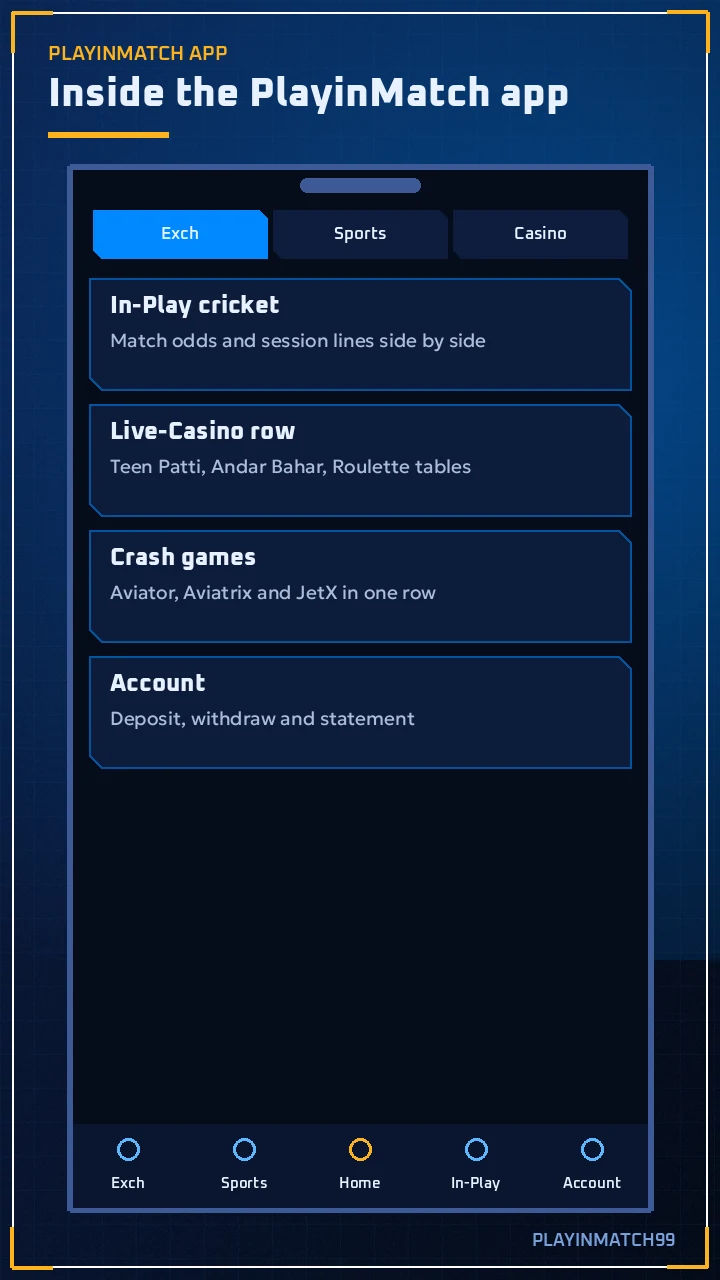
Open the PlayinMatch app for the first time and the bottom bar is your map. Five items, left to right, and each one does a single job:
- Exch. PlayinMatch exchange. You back or lay against other users instead of a bookmaker, across cricket, football, tennis and horse racing.
- Sports. Sportsbook side, with fixed prices set by the book. Useful when you just want a price and no counterparty.
- Home. Lobby. Its live sports tile counts how many matches are running per sport right now (Cricket, Soccer, Tennis), and those numbers move all day.
- In-Play. Everything that is live this minute. Scores and odds refresh by themselves, so there is no pull-down-to-refresh habit to learn.
- Account. Balance, cashier and profile settings. In practice you open it to deposit or withdraw and then leave it alone.
Following an IPL chase and want two markets from the same game in view at once? That is the job of MultiMarket, which lives in the upper row of the PlayinMatch lobby next to Exchange-InPlay, Sportsbook-InPlay, Live-Casino and Slots. No flipping between screens while the required rate climbs.
Live-Casino opens the dealer tables from Evolution, Ezugi and the other studios, and Slots is its own shelf rather than a sub-menu, which is handy if reels are all you came for. Sportsbook-InPlay and Exchange-InPlay look alike at first glance. They are not the same thing: one shows the book's fixed prices on live games, the other shows back and lay prices other PlayinMatch users have put up. Pick the one that matches how you want to play and stick to it for a session.
Small detail that helps: the PlayinMatch99 mobile site uses the same bottom menu. Switch between browser and app and your thumb already knows where In-Play is. Nothing to relearn.
PlayinMatch App Games and Cricket: Top Live Tables in Your Pocket
What you actually get after the PlayinMatch app download is the full lobby, not a trimmed mobile version. Cricket sits first for most Indian players, but the casino side is just as deep, and all of it is reachable from the tabs above without leaving the app.
PlayinMatch Live Cricket and Football Markets
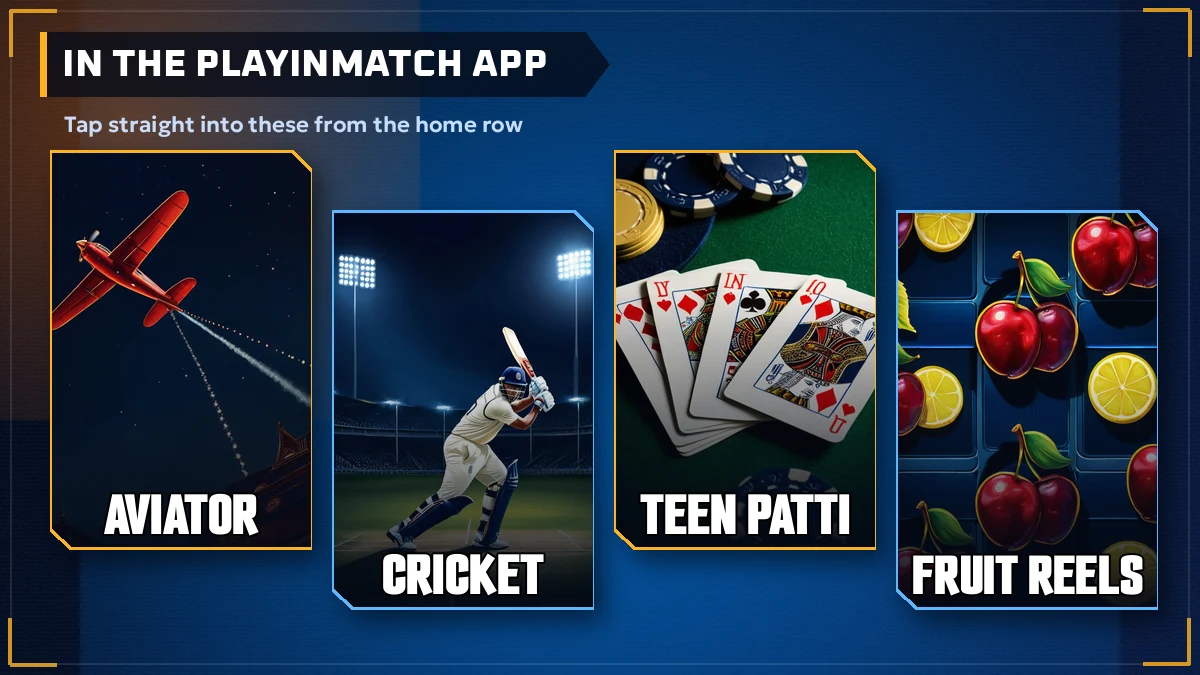
Whatever cricket the site lists, the app lists too: IPL in season, ICC tournaments, bilateral series, and domestic or overseas leagues from the Ranji Trophy to BBL, PSL and CPL. Football and tennis sit one swipe along in the same Exch and Sports tabs, from the Premier League to the Grand Slams.
Top PlayinMatch Indian Tables: Teen Patti to Dragon Tiger
Teen Patti and 1 Day Teenpatti, Andar Bahar (the lobby spells it Andhar Bahar), Ultimate AB, Cricket War and Dragon Tiger, plus several roulette tables including Winmatch Roulette. Everything else is listed on the PlayinMatch casino page.
PlayinMatch Aviator and Live Game Shows
Aviator from Spribe sits beside Aviatrix and JetX in the crash section. Crazy Time, Monopoly, Lightning Roulette, Ice Fishing and Crazy Ball fill the game-show row, and the card tables add Blackjack, Poker and Baccarat.
Providers behind the PlayinMatch tables include Evolution, Ezugi, XPG, Spribe, BetGames, Playtech, TVBET, 7Mojos and Turbo Games. Slots lean on themes: cartoon farms and piggy banks, classic reels, temples and treasure. Which ones load fastest on your phone is hard to say in advance; it depends on signal more than on the PlayinMatch app itself.
One honest limit. Live dealer streams use more data than the sports tabs, so if you mostly follow cricket on a weak connection, In-Play will feel quicker than Live-Casino. That is the stream, not the install.
PlayinMatch App Download Essentials: Official Names and Routes
A PlayinMatch app download does one job: it puts PlayinMatch99 on your phone as an icon. PlayinMatch, PlayinMatch99 and PlayinMatch 99 are the same brand written three ways, and the PlayinMatch app runs the very account you use for PlayinMatch online in a browser, so nothing needs a second sign-up.
PlayinMatch Install and Download Terms: Clear Meanings
- Searches for PlayinMatch APK, PlayinMatch download or PlayinMatch install all land on the same four-step job described above, whichever wording someone typed.
- PlayinMatch com mobile means the phone version of the site, and PlayinMatch com mobile login is its sign-in screen, which is also where iPhone users start before adding the web app.
- People searching for the PlayinMatch live app usually want the In-Play tab, where PlayinMatch online live sports and the PlayinMatch live score today numbers update without a reload.
- You find the PlayinMatch exchange under Exch, the PlayinMatch casino under Live-Casino and PlayinMatch com slots under Slots, while PlayinMatch Aviator is the Spribe crash title that most PlayinMatch game searches end up at.
- PlayinMatch99 com is one of the working addresses, and PlayinMatch 247 is a leftover of the old Playinexch247 sign-in label.
PlayinMatch Support, Safety and Payout Searches: Real Answers
To join PlayinMatch from inside the app, open Register and enter a mobile number, the 6-digit OTP and a password. PlayinMatch withdrawal time is usually 2-3 hours according to the official FAQ, slower on a first payout while KYC clears. Anyone looking up a PlayinMatch customer care number India 24/7 should know live chat is the main support channel. As for is PlayinMatch safe, install only the current file from the official desk and keep withdrawals going to a bank account in your own name. That is the practical part of the PlayinMatch app download; the rest is playing.
Update the PlayinMatch App to the Latest Official Build
Short answer from the official PlayinMatch FAQ: find the newest file and install it. That is more or less the whole update process, and anyone who tells you there is a secret settings menu for it is probably thinking of a different app.
In practice it goes like this. Tap Download PlayinMatch App again, let the new file finish, open it, and choose Install when Android offers to update the existing app. Your PlayinMatch99 login belongs to the account, not to the handset, so even a full uninstall and reinstall only costs you one sign-in. Balance untouched.
Still carrying an icon from the Playinexch days? A notice dated 21 December 2024 moved Playinexch.com to the Playinmatch.com name, and accounts came across with it. So the same user ID works in the current PlayinMatch app. It also explains a search you may have typed yourself, because "playinmatch 247" traces back to the old Playinexch247 sign-in label.
Best moment to update is before a big match night, not during it. Installing over the old PlayinMatch app is quick, but doing it with a chase on and a price you want is exactly when a half-saved file bites.
How do you know your copy is old? If a PlayinMatch screen looks different from the site, or a tab the site shows is missing in the app, the file is probably out of date. Replace it. A few minutes, usually less.
PlayinMatch App Addresses: Same Verified ID on Every Domain
iPhone users feel address blocks first. Your home-screen icon is pinned to one address, and betting addresses get blocked in India now and then, which is why PlayinMatch99 runs several at once: playinmatch99.com, playinmatch.net, playinmatch.app and playinmatch99.now are the ones Google shows. When your pinned PlayinMatch address stops opening, delete the icon, open another in Safari, sign in with the same ID (the balance is the same too) and add it to the home screen again.
Two minutes, maybe three.
On Android the browser fallback works the same way: any listed address, same login. Address notes live in one place on the PlayinMatch99 com page.
Before you type a password on any address, look for three things: the PlayinMatch99 name and logo, a padlock in the address bar, and the same five-tab bottom bar you know from the app.
PlayinMatch App Install Errors: Quick Fixes for 3 Common Blocks
Most PlayinMatch install problems fall into three buckets, and all three are fixable on the phone without contacting anyone. Match what your screen says to the row below.
| Problem | What the phone shows | Fix that usually works |
|---|---|---|
| Install blocked | A security prompt saying installs from this source are not allowed | Tap Settings on that prompt, switch on Allow from this source for the browser or file manager, go back, tap Install on the PlayinMatch file again. |
| Parse error | A message about a problem parsing the package | Almost always a broken or unfinished download. Delete the file, download the PlayinMatch app again on a steady connection, install the fresh copy. Very old Android versions can also refuse a newer build. |
| OTP not coming | No SMS after you tap send | Check all 10 digits of the number, wait a moment, tap Resend OTP. Still nothing? Sign in with your password, or ask PlayinMatch live chat to check the number. |
| Login refused | A wrong password or invalid user message | Confirm you are using the user ID or mobile you registered with. Then use Forgot password: phone or username, OTP, new password twice. |
| Old icon dead | A Playinexch shortcut that will not open | Remove it and install the current PlayinMatch file. Your ID carried over, so the same login works. |
OTP trouble trips up more people than the other two rows put together. It happens often enough: someone taps Resend four times during a a toss, gets nothing, then three codes arrive at once. Type the newest one. Tapping Resend again right away only adds another code to the pile.
And the parse error, one more time, because it is so common: it is nearly always the download, rarely the phone. Fresh file first, anything else second.
If none of the rows match, write down the exact message, take a screenshot, and open PlayinMatch live chat from the site in a browser; describing the error word for word gets a faster answer than "the app is not working".
PlayinMatch App Deposits and Withdrawals: Fast UPI, Verified Bank Payouts
Inside the PlayinMatch app you get the same cashier the website uses, so nothing about money changes when you switch to the icon. Deposits and payouts, side by side:
Deposits. UPI through GPay, PhonePe or Paytm, plus Net Banking or IMPS, VISA and Skrill. A UPI deposit usually shows in your PlayinMatch balance within minutes, and the balance updates in real time once it lands. Minimums are shown in the cashier itself, so check there before you send.
Withdrawals. Installing the app does not put you in a faster queue. Cash-outs from the icon follow the same rules as the website, so the official 2-3 hour guide still applies, with extra time on a first payout for KYC and on bank holidays or the morning after a huge IPL night.
From the PlayinMatch app, a UPI deposit runs roughly like this: open Account, go to the cashier, pick UPI and your app of choice, approve the payment inside GPay, PhonePe or Paytm, then switch back to PlayinMatch and watch the balance change, which normally takes a few minutes and occasionaly longer when a bank is slow. Keep the UPI reference handy. Live chat will probably want it if anything hangs.
If a payout stalls after you move to the app, look at the account before the phone. Is the receiving bank account in your own name, and does your KYC name read exactly the same? Is KYC still pending? Are open bets holding part of the balance? After that, the usual suspects are a wrong IFSC code or bank downtime. Each is covered on the PlayinMatch withdrawal time page.
Hoping for a download reward? Nothing in the official copy ties a bonus to installing the PlayinMatch app, and no percentage figure is published at all. Whatever offers are running sit under promotions once you log in, and they rotate often. For questions, PlayinMatch live chat is the main support line; the Telegram community channel carries updates.
PlayinMatch App Download FAQ: Clear Answers Before You Install
How do I download the PlayinMatch app on Android?
Tap Download PlayinMatch App, let the official file finish saving, then open it. Android asks once to allow installs from your browser; switch that on, go back and tap Install. Open the app and sign in with your mobile number or user ID and password, or with a 6-digit SMS code.
Is there a PlayinMatch app for iPhone?
iPhones use the PlayinMatch99 web app rather than a downloaded file. Open a working PlayinMatch address in Safari, sign in, tap Share and choose Add to Home Screen. The icon opens the same lobby, the same five-tab bottom bar and the same account balance that Android players see.
Why does my phone block the PlayinMatch APK install?
Android holds back any file that comes from outside the Play Store until you give permission. On the prompt, tap Settings and enable Allow from this source for the browser or file manager that saved the PlayinMatch file. Go back, tap Install, and switch the permission off afterwards if you prefer.
What does a parse error mean when installing the PlayinMatch app?
A parse error usually means the PlayinMatch file did not download completely or got damaged on the way. Delete it, download the app again on a steady connection and wait for the finished notification before opening it. A very old Android version can also reject a newer build.
Can I use my old Playinexch ID in the PlayinMatch app?
Yes. Accounts moved across when Playinexch became PlayinMatch after the 21 December 2024 notice, so your existing user ID and password open the current PlayinMatch app. Delete any leftover Playinexch shortcut first and install the latest file, which saves you signing in through an outdated build.
Why is the PlayinMatch OTP not coming?
Most missing codes come down to a mistyped mobile number or a slow SMS route. Check all 10 digits, wait a moment, then tap Resend OTP and type the newest code that arrives. If nothing comes, sign in with your password instead or ask PlayinMatch live chat to check the number.
How do I update the PlayinMatch app to the latest version?
Download the newest PlayinMatch file from the same Download key and install it over the old app when Android offers the update. Your login belongs to the account, not the phone, so the balance stays where it was. iPhone web-app users get the current version each time it loads.
Can I withdraw money from the PlayinMatch app?
Yes. Open Account, go to the cashier and request the payout just as you would on the website, because the app shares that cashier. Expect around 2-3 hours per the official FAQ, longer for a first withdrawal while KYC is verified, and money only goes to a bank account in your own name.
More PlayinMatch App Searches: Popular Install Queries from Real Players
- playinmatch app download
- playinmatch apk download latest version
- playinmatch app kaise download kare
- playinmatch99 app
- playinmatch app for iphone
- playin match app install
- playinmatch 99 apk
- playinmatch app login
- playinmatch android app
- playinmatch app install nahi ho raha
- playinmatch app update
Level select