
Join PlayinMatch — Three Quick Screens From Mobile Number to a Live Exch Tab
To join PlayinMatch you need a 10-digit Indian mobile, the 6-digit code PlayinMatch sends by SMS, and a password you pick yourself. That is the whole form. Tap Register, clear the three screens, and your PlayinMatch99 ID opens straight into the lobby with the Exch, Sports and In-Play tabs ready.
No payment sits inside those sign-up screens. Money only enters the picture later, when you decide to top up by UPI from the cashier. Short version: the ID first, the deposit whenever you like.
3join screens
6digit SMS code
2-3hours, usual payout
Join PlayinMatch in Three Screens — the Fast Official Sign-Up Path
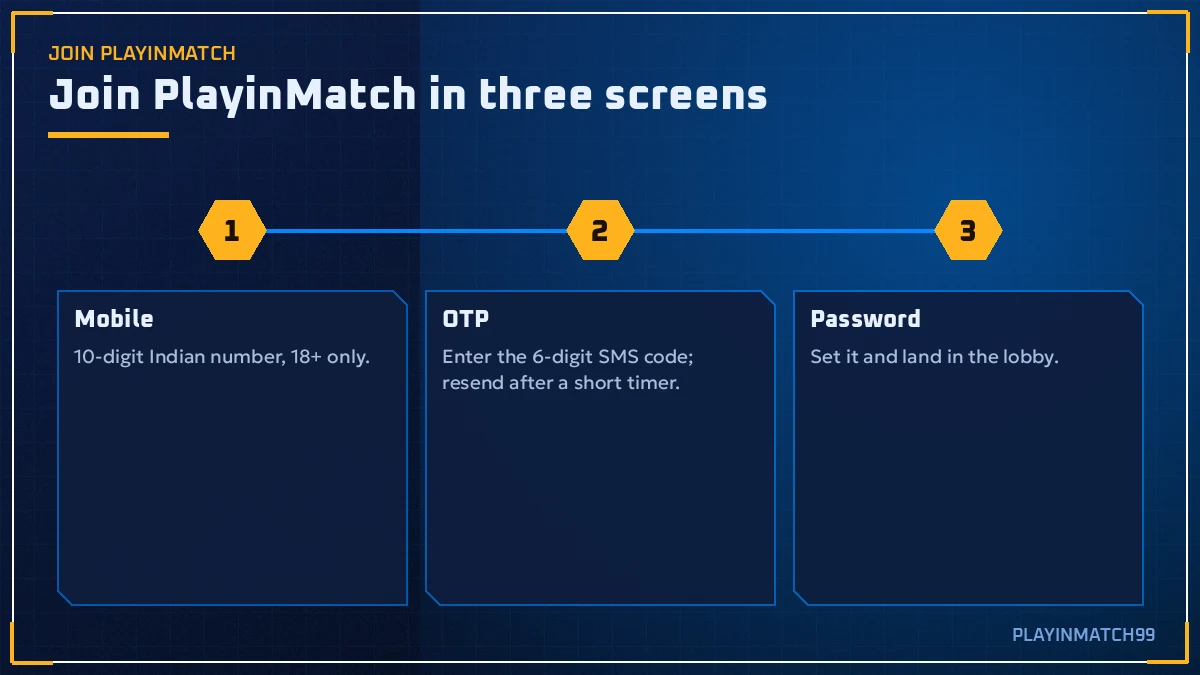
Every new PlayinMatch account goes through the same three screens, in the same order. Knowing what each one asks for saves you a a back-button trip, which is the most common reason people give up halfway.
-
Screen 1 · Mobile
What it asks: your Indian mobile number, typed as 10 digits with no leading zero. PlayinMatch uses this number as your login handle, so type the one you actually carry.
Time: the length of typing ten digits. Then tap Next.
-
Screen 2 · OTP
What it asks: the 6-digit code that PlayinMatch sends to that number by SMS. Six boxes, one digit each. If the text does not show up, a Resend OTP link sits under the boxes. Use it once, wait, then check the number you typed on screen 1 before hammering it again.
Time: whatever the SMS takes. That is the only real wait in the whole flow.
-
Screen 3 · Password
What it asks: a password for your PlayinMatch99 ID. Some versions of the official form also ask for your name and email here. Fill the name exactly as it reads on your bank account (this matters later, at the first withdrawal).
Time: under a minute. Confirm, and the lobby loads.
Prefer not to type a number at all? The PlayinMatch register screen also shows Google and Facebook buttons. They skip the OTP step, although you will still want a phone number on the account for password resets.
Already had an account under the old Playinexch name? Do not register again. The December 2024 switch from Playinexch.com to Playinmatch.com carried existing accounts across, so the PlayinMatch com mobile login screen is where you belong, not the join form.
Inside PlayinMatch After You Join — the Live Lobby, Tab by Tab
The moment screen 3 is confirmed, PlayinMatch drops you into the lobby. On a phone, the bottom bar carries five items: Exch, Sports, Home, In-Play and Account. Along the top run the bigger tabs: Exchange-InPlay, Sportsbook-InPlay, MultiMarket, Live-Casino and Slots.
Which one matters first depends on why you joined. Cricket people usually go straight to In-Play, where the live sports tile shows how many matches are running per sport right now; that count moves through the day, so a quiet Tuesday morning looks thin and an IPL evening does not. Exch is the back-and-lay side, where you trade prices against other users. Sports is the fixed-odds sportsbook, prices set by the book. MultiMarket stacks several markets on one screen, handy when two games overlap.
Scores and odds refresh on their own. No pull-to-reload needed (tempting, but it just costs you a second of blank screen).
What You Need to Join PlayinMatch — a Real Indian Number and 18+
The PlayinMatch checklist is short, probably shorter than you expect. Four things, and only the first two are needed on the day you register.
01 · Mobile
A working Indian SIM that can receive SMS. The PlayinMatch OTP goes nowhere else, so a number you cannot access right now is useless here.
02 · Age
You must be 18 or older. PlayinMatch99 is a real-money sportsbook and casino, and the 18+ line is printed on every page for a reason.
03 · One account
One PlayinMatch ID per person. A second ID on the same name tends to surface at KYC and slows everything down.
04 · Bank in your name
Not needed to join. Needed to withdraw. The payout goes only to a same-name bank account, so sort that out before your first cash-out request.
That is it. No document upload to open the ID; KYC documents come up later, at the first PlayinMatch withdrawal.
Join PlayinMatch on the App or in the Browser — Same Fast Form
The register form is identical in both places. Join through the phone browser and you can install the app later with nothing to redo; join inside the app and the browser login works the same evening. Most people who come from a friend's link register in the browser first, simply because it is already open. That is fine. The PlayinMatch ID, the password and the balance are one set, wherever you typed them.
If you want the app from day one, the PlayinMatch app download page explains the install. Otherwise, skip it for now.
Which PlayinMatch Address to Join On — Official Working Domains
You can register on any working PlayinMatch address. The ones that show up in Google include playinmatch99.com, playinmatch.net, playinmatch.app and playinmatch99.now. The brand keeps several becuase Indian networks block betting addresses without warning, and a single domain would leave everyone locked out on the day it goes dark.
Whichever address you join on, the ID is the same everywhere. Register on one, log in on another next week, and the balance follows you. So do not create a second PlayinMatch account just because the first address stopped loading. That is the classic mistake, and it turns into a duplicate-account problem at KYC.
First PlayinMatch Deposit by UPI — Quick Credit Right After You Join
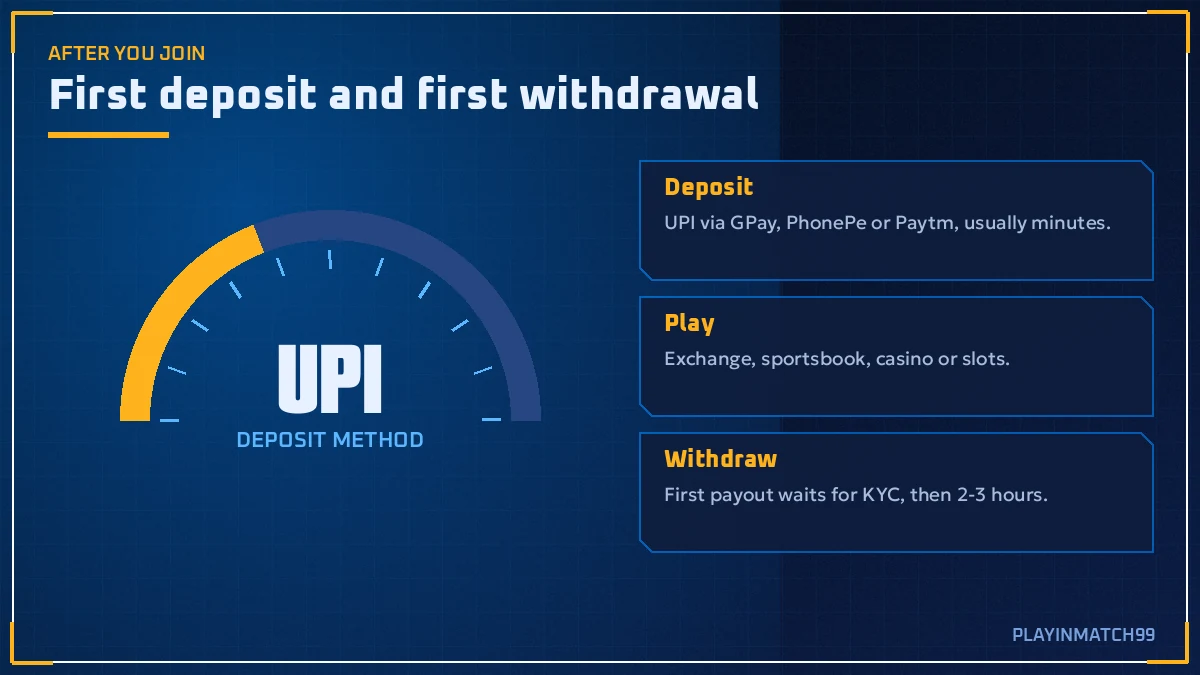
Your new PlayinMatch ID starts at zero. To play anything, open Account from the bottom menu, go to the cashier and pick a method.
| Method | What PlayinMatch shows | Usual credit |
|---|---|---|
| UPI (GPay, PhonePe, Paytm) | UPI ID or QR, amount box | Minutes, usually |
| Net Banking / IMPS | Bank details for transfer | Depends on the bank |
| VISA card | Card entry screen | Varies |
| Skrill | Wallet login | Varies |
UPI is the one most new players use, and for good reason: the PlayinMatch balance updates in real time once the payment clears, typically inside a few minutes. The minimum amount is printed in the cashier itself; it is not published anywhere else, so check it there rather than trusting a number from a random forum.
Keep the UPI reference number until you see the credit. If a deposit is stuck, that twelve-digit reference is the first thing PlayinMatch support will ask for, and hunting for it in your payment app history afterwards is a pain.
Tap Account in the PlayinMatch bottom bar, then open the cashier.
Choose UPI and type the amount. The minimum is shown right there.
Pay from GPay, PhonePe or Paytm using the UPI ID or QR code on screen.
Note the UPI reference, come back to PlayinMatch, and watch the balance.
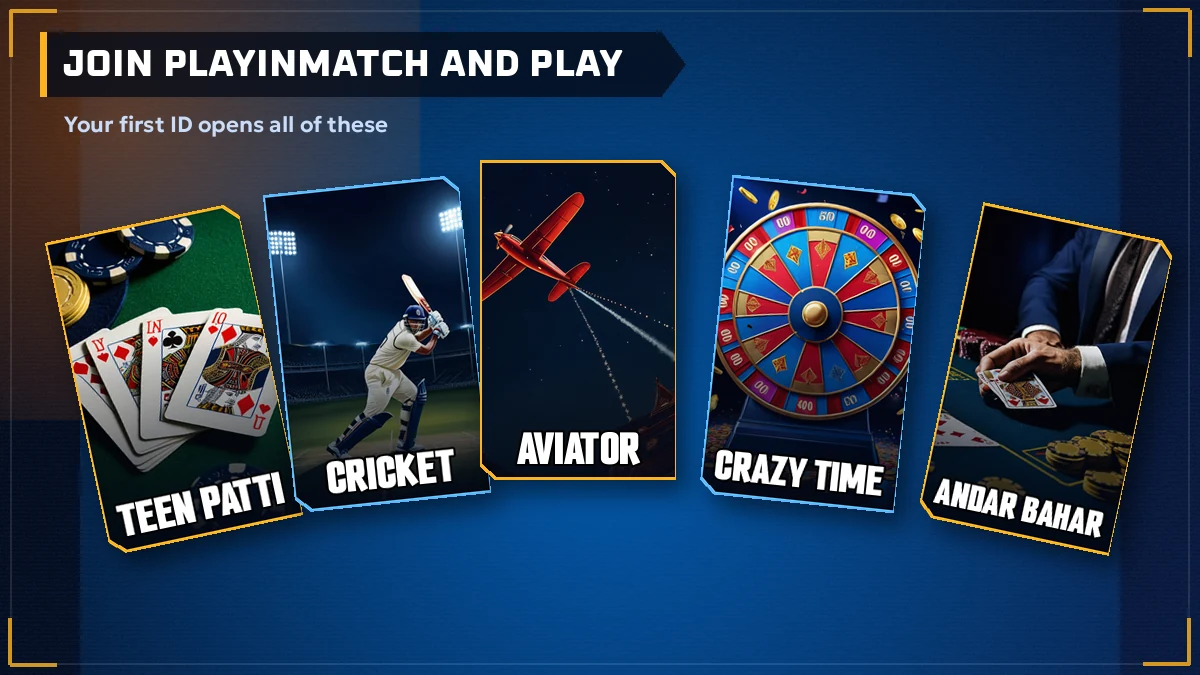
Where does that first balance go? Depends on you. Cricket fans tend to open In-Play and pick a live IPL, Ranji Trophy or T20I market. Casino players head to Live-Casino for Teen Patti, Andar Bahar, Dragon Tiger or Crazy Time from Evolution and Ezugi, and the Aviator crowd finds Spribe's crash game (plus Aviatrix and JetX) a tap away. For the full table list, see the PlayinMatch casino page.
Promotions sit behind the login on PlayinMatch, and the list rotates, so any percentage printed here would go stale fast. Open the promotions area after your first deposit and read the terms on the offer card itself.
Join PlayinMatch Search Ledger — Official Terms Players Type
People who want to join PlayinMatch search for it in a dozen shapes: PlayinMatch, PlayinMatch99, PlayinMatch 99, sometimes just "playin match". Every spelling points at the same account. Once your ID is live, PlayinMatch online runs in any phone browser, while the PlayinMatch app is a separate install; PlayinMatch app download, PlayinMatch APK, PlayinMatch install and PlayinMatch download are really one file being hunted under four names.
- PlayinMatch com mobile loads the lobby on a phone, and the PlayinMatch com mobile login screen takes the number and password you set while joining.
- Typing PlayinMatch99 com into the address bar is one way in, and when that domain goes quiet the PlayinMatch 247 query often turns up the next one, because the older login box was labelled Playinexch247.
- PlayinMatch exchange and PlayinMatch online live sports cover back and lay on cricket, football and tennis, with PlayinMatch live score today showing inside each match tile.
- PlayinMatch casino, each PlayinMatch game table, the PlayinMatch com slots shelf and PlayinMatch Aviator sit under the Live-Casino and Slots tabs.
- The PlayinMatch live app mirrors the browser balance to the rupee.
Money questions follow quickly. PlayinMatch withdrawal time is usually 2-3 hours according to the official FAQ, with the first payout slower because of KYC. Is PlayinMatch safe is a fair question too, and it gets its own page rather than a one-line answer here.
Stuck on a join screen? The contact behind the PlayinMatch customer care number India 24/7 search is the WhatsApp line printed a little further down. Save it before you reach the OTP step, then join PlayinMatch through the three screens and keep the chat for the moment something refuses to load.
First PlayinMatch Withdrawal and KYC — Clear Rules for a New ID
Nobody reads this part before joining. Then the first cash-out takes longer than expected and it feels like something broke. It usually hasn't.
Here is how PlayinMatch handles a brand-new account asking for money back for the first time. The official FAQ puts a normal withdrawal at about 2-3 hours, depending on the method. The first one is slower, because PlayinMatch runs KYC on it: the name on your ID gets checked against the name on the bank account and the documents you submit. Once that match is done it doesn't need doing again, which is why the second and third payouts feel quicker then the first.
Slows a first PlayinMatch payout
- Name on the ID does not match the bank account
- KYC still pending
- Open bets still holding part of the balance
- Wrong IFSC code
- Bank holidays, or the morning after a big IPL night
Keeps it moving
- Same-name bank account added before the request
- Name typed exactly as the passbook shows it at sign-up
- All bets settled, balance free
- IFSC copied from the bank, not typed from memory
Open bets catch a lot of new players out. Say your PlayinMatch balance reads ₹2,000 but ₹500 is sitting in a match that has not settled yet. Only ₹1,500 is free to withdraw until the result comes in, and asking for the full two thousand simply bounces.
The request itself is quick. In your PlayinMatch account, open the cashier, choose withdraw, enter the amount and pick the saved bank account. If the name on that account differs from the name on your ID, fix it before you press send, not after. A rejected request only puts you back at the start of the queue.
Timing also moves with the calendar. Bank holidays stretch things. So does the morning after a packed IPL final, when a lot of PlayinMatch players ask for money at the same hour; a two-hour wait can become a longer one, and there is not much anyone can do about that except request earlier.
One thing we will not do is promise an instant payout. PlayinMatch doesn't, and neither should anyone selling you an ID. The detailed timing breakdown lives on the PlayinMatch withdrawal time page if you want the long version.
Join PlayinMatch via WhatsApp — 24x7 Support Number for New IDs
Some players would rather not fill the PlayinMatch form alone. Fair enough. The support number used across this site is +91 81097 11726, and you can message it on WhatsApp to ask for help getting a PlayinMatch99 ID set up, or to sort out an OTP that refuses to arrive.
What to include in that first message, so the PlayinMatch reply is useful on the first try:
- The mobile number you want the PlayinMatch ID on
- Your name as it appears on your bank account
- A screenshot, if a join screen has already thrown an error
A tip before you send anything: put your request in the first message. "New PlayinMatch ID, my number is registered on WhatsApp" gets a faster reply than "hi" followed by ten minutes of silence.
Where each PlayinMatch contact fits
Live chat inside the lobby is PlayinMatch's main help channel once you are logged in. The WhatsApp line above is handy before that, while you do not have an account yet. Community updates (new addresses, maintenance windows) go out on Telegram.
Already joined and just locked out? You probably do not need anyone. The PlayinMatch reset runs on its own: phone or username, then the SMS code, then a new password typed twice. A short job, no chat required.
More on hours and channels: the PlayinMatch customer care number page.
Common Join PlayinMatch Errors — Quick Fixes That Actually Work
Most failed PlayinMatch sign-ups come down to seven problems. Here they are, roughly in the order they show up.
OTP never arrives. First suspect: a typo on screen 1. Go back, check all ten digits, and tap Resend OTP once. If PlayinMatch still sends nothing, try again a few minutes later rather than twenty times in a row.
"Number already registered." You, or the old Playinexch account on that number, already exist. Use Forgot password on the login screen: enter the phone, take the OTP, set a new password. Your old balance is still there.
Blank page on the address you bookmarked. Your PlayinMatch ID is fine; the domain is the problem. This brand keeps playinmatch99.com, playinmatch.net, playinmatch.app and playinmatch99.now alive side by side precisely because Indian blocks land without notice. Switch address, keep the same number and password, and skip the temptation to register again.
Code rejected on screen 2. You typed it right, but it was the second-newest SMS. A fresh Resend OTP tap usually retires the earlier PlayinMatch code, so scroll to the latest message in your inbox and copy those six digits instead.
Nickname typed in the name field. The PlayinMatch form accepts anything you type, so "Rocky" goes through fine at sign-up. It then fails at KYC because your bank says Rakesh Kumar. Ask support to correct the name early, before any withdrawal is pending.
First deposit not showing. UPI usually lands within minutes, but not always. Wait a little, refresh the Account screen, then send the UPI reference to PlayinMatch support through live chat. Paying twice to "test" it just gives you two deposits to chase.
Joined with Google, now cannot log in on another phone. Use the same Google button there. Or add a mobile number to the account so that the OTP login works everywhere.
A typical case, stitched together from the usual questions: someone joins on an IPL double-header Sunday, types a family member's number by habit, and waits for an OTP that is sitting on another phone in another room. Problem one on the list. Takes thirty seconds to fix once spotted, and a whole innings if it isn't.
Still stuck after all seven? It happens, occasionally for reasons nobody can see from the outside. Message the number above with a screenshot of the error, not a description of it. Actually, send both.

Join PlayinMatch FAQ — Clear Answers Before You Register
How do I join PlayinMatch?
You join PlayinMatch through three screens. First, the phone number PlayinMatch will text. Second, the six boxes where that SMS code goes. Third, your password, plus name and email on some versions of the form. Confirm it and the lobby opens with Exch, Sports and In-Play ready, while deposits can wait until you want them.
Is joining PlayinMatch free?
Yes, the PlayinMatch sign-up screens contain no payment step. You only give a mobile number, the SMS code and a password. Money comes in later, and only if you decide to deposit through the cashier by UPI, Net Banking, card or Skrill. Opening the ID itself costs nothing.
How long does PlayinMatch registration take?
PlayinMatch registration is three short screens: mobile number, OTP, password. The typing takes a minute or two. The only real wait is the SMS carrying your 6-digit code, and if it does not arrive you can tap Resend OTP under the code boxes and check the number you entered.
Why is my PlayinMatch OTP not coming?
The usual cause is a mistyped mobile number on the first screen. Go back, check all ten digits, then tap Resend OTP once and wait. If the number already has a PlayinMatch or old Playinexch account, no new code is sent, so use Forgot password on the login screen instead.
Can I join PlayinMatch with Google or Facebook?
Yes, if you would rather skip the SMS step. Pick the Google or Facebook sign-in on the PlayinMatch register screen and your ID is tied to that login. The catch shows up later: password resets and OTP login need a phone, so attach your mobile number to the account soon after joining.
What is the minimum deposit on PlayinMatch?
PlayinMatch shows the minimum deposit inside the cashier after you log in, and it can differ by payment method. It is not published elsewhere, so check the cashier screen before you pay. UPI through GPay, PhonePe or Paytm is the quickest option and usually reflects in your balance within minutes.
Is KYC required for PlayinMatch?
Not to join, but yes before your first withdrawal. PlayinMatch checks that the name on your ID matches your bank account and documents. That is why the first payout is slower than the usual 2-3 hours. Once KYC is done, later withdrawals skip that step and go to the same-name account.
Join PlayinMatch Searches — Popular Queries From New Players
- join playinmatch
- playinmatch register
- playinmatch sign up
- playinmatch id kaise banaye
- playinmatch new id
- playinmatch99 register
- playinmatch otp not received
- playinmatch account kaise banaye
- playinmatch whatsapp number
- playinmatch first deposit
- playinexch new account
More PlayinMatch Pages — Best Next Steps After You Join
Once you have joined PlayinMatch, the PlayinMatch app download page covers the install, and the PlayinMatch casino page maps the Live-Casino tables.